A website chatbot that annoys someone gets a closed tab. A WhatsApp assistant that annoys someone gets reported inside an app that already holds their family group, their doctor's number, and their landlord. The stakes are not the same, and the rules should not be treated as the same either.
Most guides to WhatsApp automation focus on what to build: menus, quick replies, catalog integration. Fewer focus on the specific list of things an assistant should never do, even though that list is usually what determines whether the account survives its first quarter. This piece is that list, organized by the kind of damage each mistake causes: broken consent, broken trust, broken privacy, broken conversations, and broken platform standing.
- WhatsApp assistants operate inside a stricter consent and policy framework than website chat, because messages arrive in a channel people associate with personal relationships.
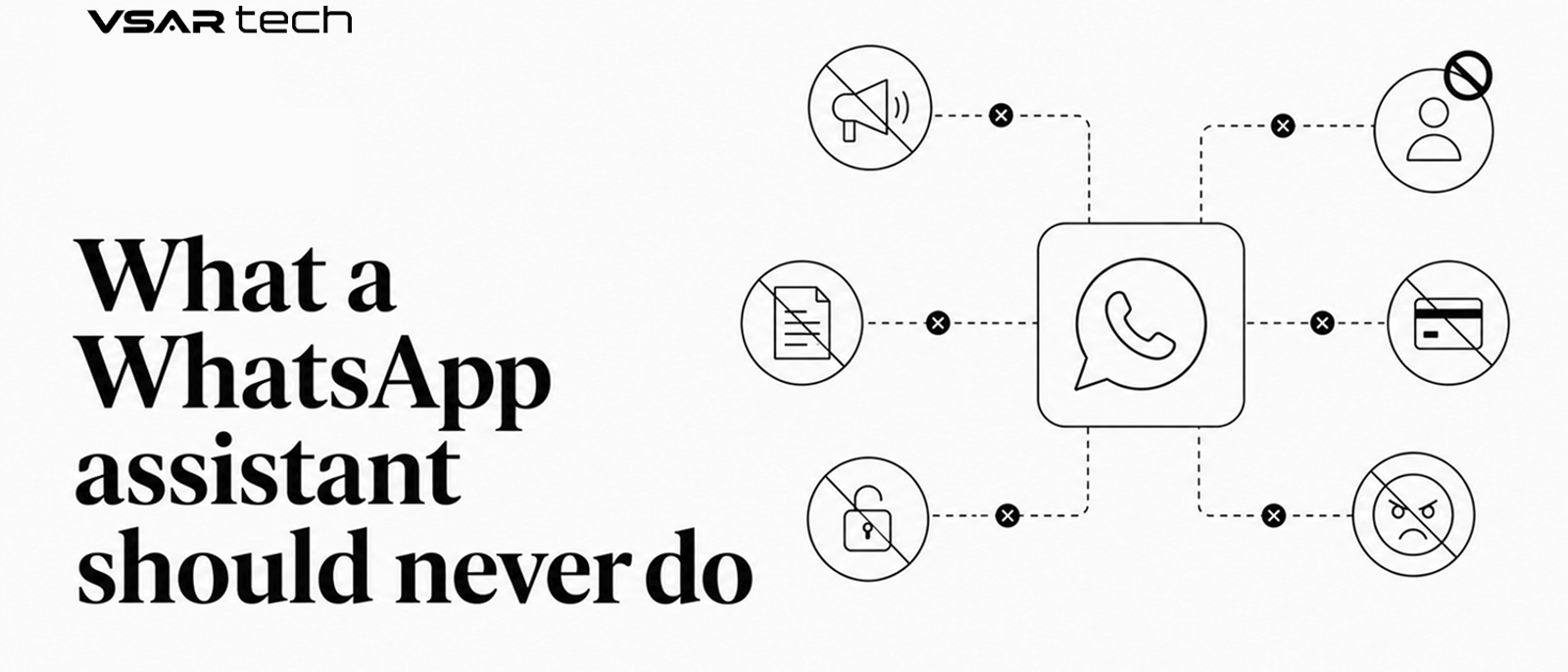
- The costliest mistakes cluster into five categories: consent violations, identity deception, unnecessary data collection, conversation traps with no human escalation, and platform-policy violations that put the business account itself at risk.
- Meta's WhatsApp Business Platform enforces opt-in messaging, a limited-time customer service window for free-form replies, and a quality rating system that throttles or restricts accounts with high block and complaint rates. Confirm the current specifics against Meta's own Business Platform documentation before launch, since program details evolve.
- Every one of these rules has the same underlying fix: build in a real human handoff, and never let the automation's convenience outrank the user's consent or the account's compliance standing.
Why WhatsApp Is a Different Trust Contract Than a Website Widget
A website visitor chose to open a chat window. A WhatsApp contact often did not choose anything, they gave a phone number to a business for one purpose (a delivery update, a support ticket) and now that number is a channel the business can message again. WhatsApp's own Business Platform rules reflect this asymmetry: businesses generally need a customer to message first, or to have given clear opt-in, before the business can send free-form messages, and outside of a limited response window after a customer's last message, further business-initiated messages typically require a pre-approved message template rather than open-ended text.
This is not a technicality. It is the entire reason WhatsApp still feels less spammy than SMS or email to most users, and it is the reason getting it wrong costs more there than anywhere else: complaints and blocks feed directly into the account's standing on the platform, not just into a brand perception survey.
The Rules
Consent and Messaging Policy
Never message someone who has not opted in. Buying or scraping a phone number list and messaging it through WhatsApp is both a platform-policy violation and, in most jurisdictions with consumer-messaging protections, a legal one. The fix is unglamorous: only message numbers that reached out first, submitted a form with explicit WhatsApp consent, or were added through a documented opt-in flow.
Never send promotional content outside the customer service window without an approved template. WhatsApp's model gives businesses a limited window after a customer's last message to reply freely; outside that window, business-initiated messages generally need to use a pre-approved template category. Sending marketing content dressed up as a service message to dodge this rule is a fast way to get templates rejected and the account's quality rating downgraded.
Never ignore a stop or opt-out request. If a user says stop, unsubscribe, or asks not to be contacted, the assistant should treat that as final and immediate, not as an objection to handle. Continuing to message after an opt-out is one of the most reliable ways to generate a block, and blocks are exactly what the platform's quality-rating system is watching for.
Identity and Trust
Never claim to be human when a user sincerely asks. If someone directly asks "am I talking to a real person," the assistant should say plainly that it is automated. Users forgive a bot. They do not forgive discovering, after a frustrating exchange, that they were lied to about who or what they were talking to.
Never impersonate a specific real person. Using a named employee's identity, photo, or signature on an automated account misleads the user about accountability: if something goes wrong, the user believes a specific person made that call, when no one did. Give the assistant its own clearly labeled identity instead.
Data and Privacy
Never ask for one-time passcodes, full card numbers, or passwords inside the chat. WhatsApp's own policies restrict this kind of request, and beyond policy, it is exactly the pattern that phishing scams mimic. Users cannot easily tell your legitimate assistant apart from an attacker cloning your business name and asking for the same thing. Route any payment or verification step to a proper, separately secured flow instead of collecting sensitive data as chat text.
Never repurpose conversation data for a use the person was not told about. A user who messaged for a delivery status does not expect that thread to feed a marketing segment six months later without notice. Say plainly, ideally in the opt-in flow itself, what the conversation data will and will not be used for, and hold to it.
Conversation Design and Safety
Never trap a user in a loop with no path to a human. The single most common complaint about automated assistants is not that they got something wrong. It is that there was no visible way to escalate once they did. Every flow needs a reachable human option, not buried three menus deep, and the assistant should recognize repeated confusion or frustration as a trigger to offer that option proactively rather than waiting to be asked.
Never take an irreversible action without an explicit confirmation step. Payments, cancellations, and deletions should always get a clear, specific confirmation ("Cancel your Tuesday 3pm appointment? Yes / No") rather than being inferred from an ambiguous message. An assistant that acts first and explains later on irreversible actions will eventually act on a misread message, and the user pays for that mistake, not the business.
Never state an uncertain, account-specific fact as if it were certain. A generative assistant that does not actually know a customer's order status should say so and check, not produce a plausible-sounding guess. Confidently wrong answers about someone's own account or order are worse than no answer, because the user has no way to tell the guess from the fact.
Platform and Brand Risk
Never send broadcast blasts that spike block and complaint rates. WhatsApp's quality rating system watches how many recipients block or report a business's messages and can restrict messaging limits or template access when that rate climbs. A single enthusiastic, unsegmented broadcast to an entire contact list can do more damage to sending ability than months of careful, targeted messaging.
Never run scaled business messaging on a personal WhatsApp number instead of the Business Platform. A personal number lacks the opt-in tooling, template system, and account-level protections built for business use, and pushing volume through it risks the number being banned outright, along with whatever conversation history and contacts were tied to it.
What Breaking Each Rule Actually Costs
| Category | Consequence | What to Do Instead |
|---|---|---|
| Consent violations | Blocks, complaints, and reduced messaging limits or account restriction | Message only opted-in numbers; honor stop requests immediately |
| Identity deception | Loss of trust when discovered; reputational damage | Disclose automated status plainly when asked |
| Unnecessary data collection | Phishing-pattern resemblance; privacy exposure | Route sensitive data collection to a secured flow outside chat |
| Conversation traps | Escalating frustration, public complaints | Always provide a visible, reachable human option |
| Platform-policy violations | Template rejection, quality-rating downgrade, number ban | Use the Business Platform properly, segment broadcasts, respect the messaging window |
Frequently Asked Questions
Does this apply to WhatsApp bots built through Twilio or another provider, not Meta directly?
Yes. Business solution providers like Twilio, MessageBird, and others sit on top of the same WhatsApp Business Platform and the same underlying Meta policies on opt-in, templates, and quality rating. The provider changes the tooling, not the rules the account has to follow.
What actually happens if a WhatsApp Business account gets restricted?
Consequences typically range from a lowered quality rating and reduced daily messaging limits to template rejection or, in more serious or repeated cases, the number being banned from the platform entirely. Because these mechanics can change, confirm the current enforcement details on Meta's official WhatsApp Business Platform documentation before you plan around a specific threshold.
The Bottom Line
A WhatsApp assistant earns the right to keep messaging someone, and that right is easy to lose in a single broadcast, a single ignored opt-out, or a single loop with no way out. The specific list above boils down to one instinct: treat the channel like the personal one it is. Get consent, tell the truth about what the user is talking to, keep sensitive data out of the chat window, always leave a door open to a human, and follow the platform's own rules closely enough that the account is still standing to message anyone next quarter.